Cash Reports
Overview
The Cash Reports feature allows library staff to generate reports on financial transactions for a specified time period. These reports can be used for daily balancing, accounting purposes, and to track payment trends.
Accessing Cash Reports
-
Navigate to Administration > Local Administration.
-
Select Cash Reports from the menu options.

Figure 1. Cash Reports Option in Local Administration Menu
Generating a Cash Report
-
On the Cash Reports screen, you’ll see options to configure your report.
-
Set the Start Date for the period you want to review.
-
Set the End Date to complete the date range for the report.
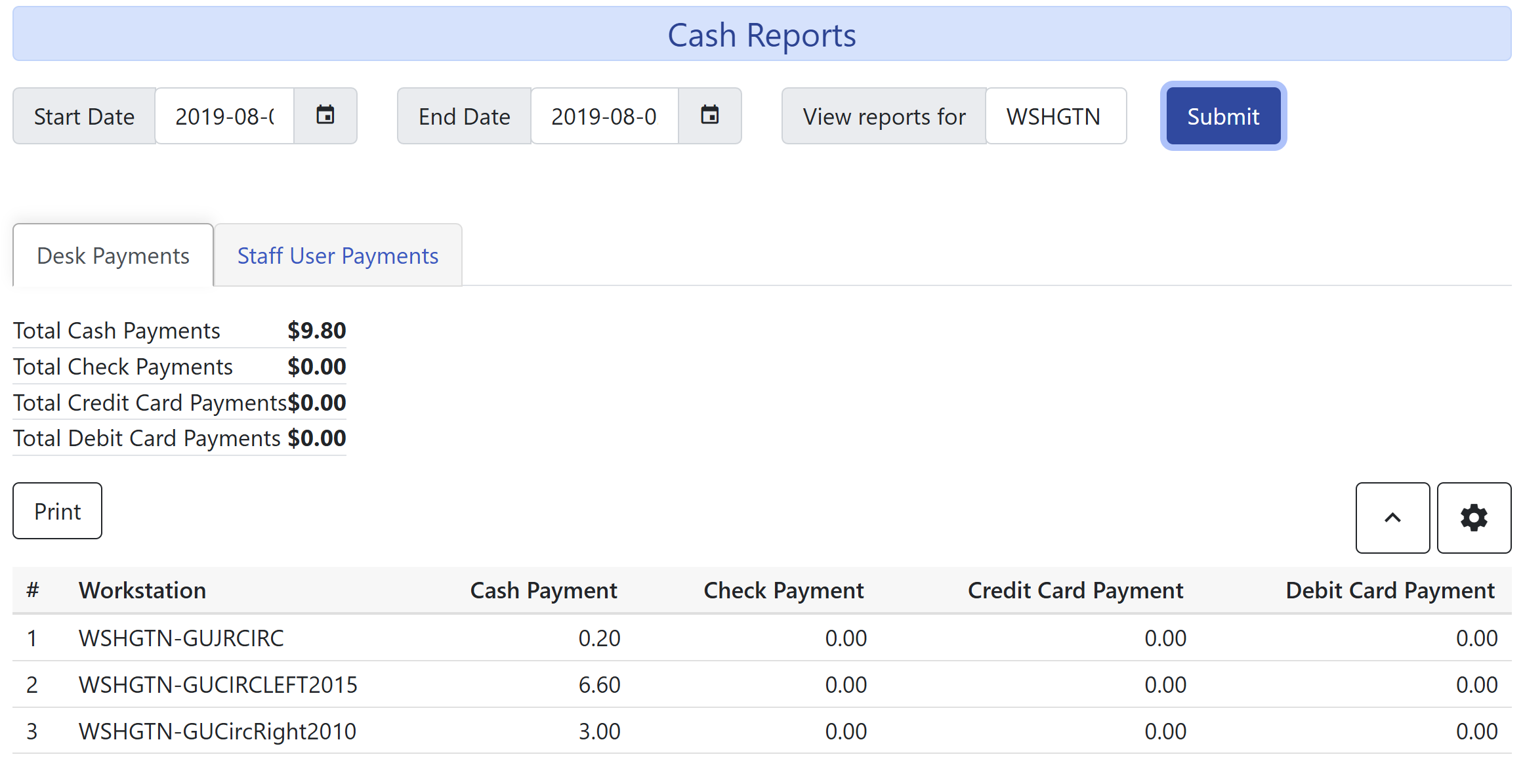 Figure 2. Cash Reports Configuration Screen
 -
Click Submit to generate the report.
| There are two tabs on the Cash Reports screen: Desk Payments and Staff User Payments. The Desk Payments tab shows the amount of cash that was paid. The Staff User Payments tab shows the amount of money that was not paid for the specified reason. |
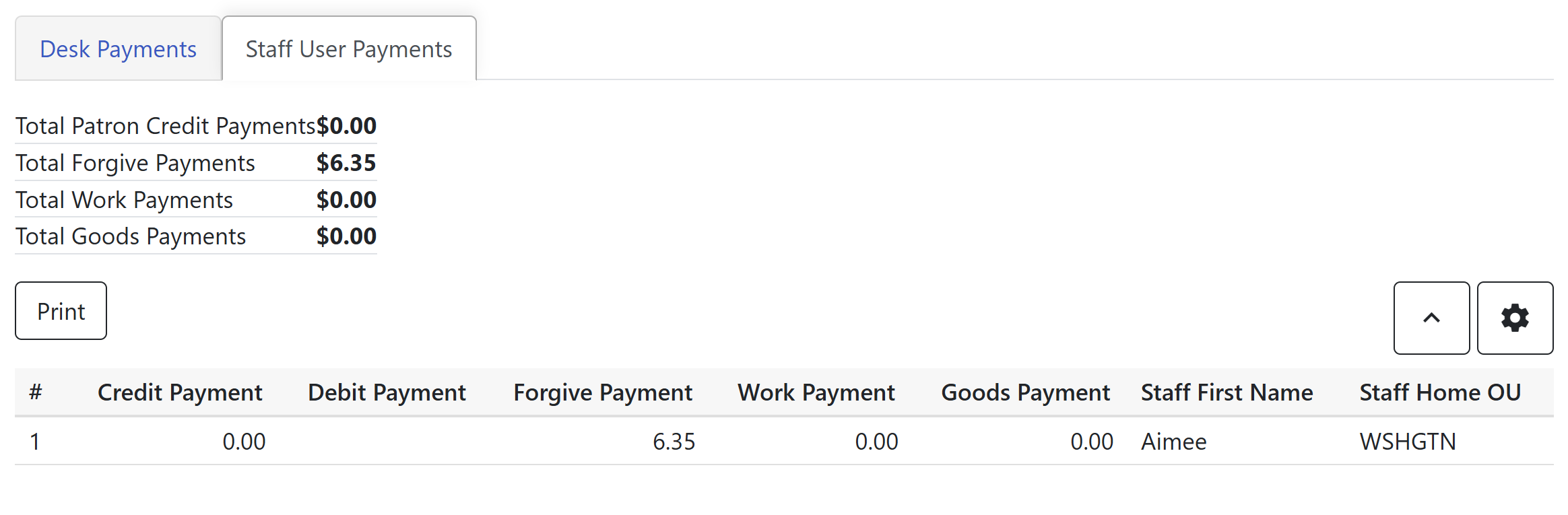
Figure 3. Cash Reports Staff User Payments Tab