Hopeless Holds
Overview
A hold becomes "hopeless" when all available copies that could potentially fill the hold become unavailable. The Hopeless Holds feature helps library staff identify these holds and provides options to resolve them, primarily by transferring the hold to a different bibliographic record that has available copies.
Understanding Hopeless Holds
What Makes a Hold "Hopeless"
A hold typically becomes hopeless in scenarios like:
-
A patron places a hold on a title with only one copy, and that copy is subsequently marked "Missing"
-
All copies for a title are withdrawn, damaged, or otherwise made unavailable
-
Holds are placed on a bibliographic record where items have parts assigned, but not all items have the necessary part designations
When there are no available copies that can be targeted to fill a hold, the hold is added to the Hopeless Holds list.
| The Hopeless Holds list has limitations and may not capture all unfilled holds in all scenarios. For example, if staff cannot find an item but don’t mark it as "Missing" in the system, related holds won’t appear on the Hopeless Holds list. |
Accessing Hopeless Holds
-
Navigate to Administration > Local Administration.
-
Select Hopeless Holds from the menu options.

Reviewing Hopeless Holds
The Hopeless Holds screen displays a list of holds that cannot be filled due to the status of items on their bibliographic records.
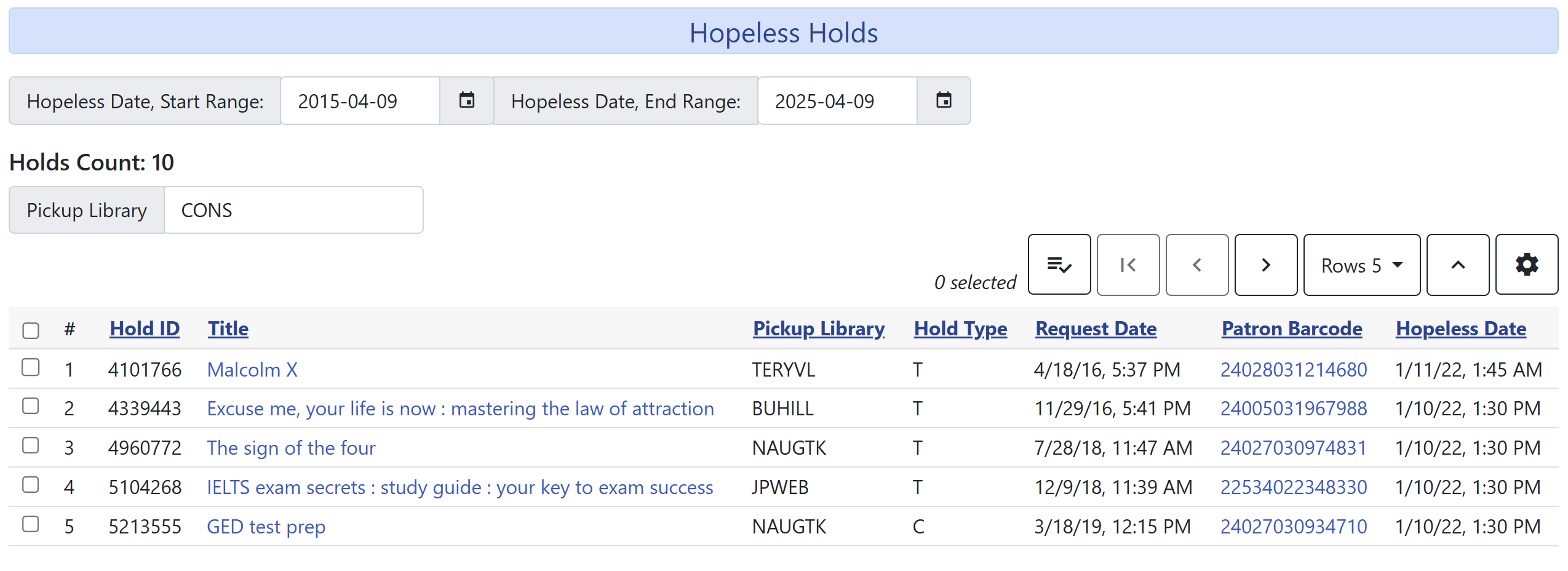
For each hold, the list typically shows: * Patron name and barcode * Title information * Hold placement date * Current item status information
Verifying a Hold is Truly Hopeless
Before taking action, it’s good practice to verify that a hold is truly hopeless:
-
Open the bibliographic record in the catalog by clicking on the title or searching for it.
-
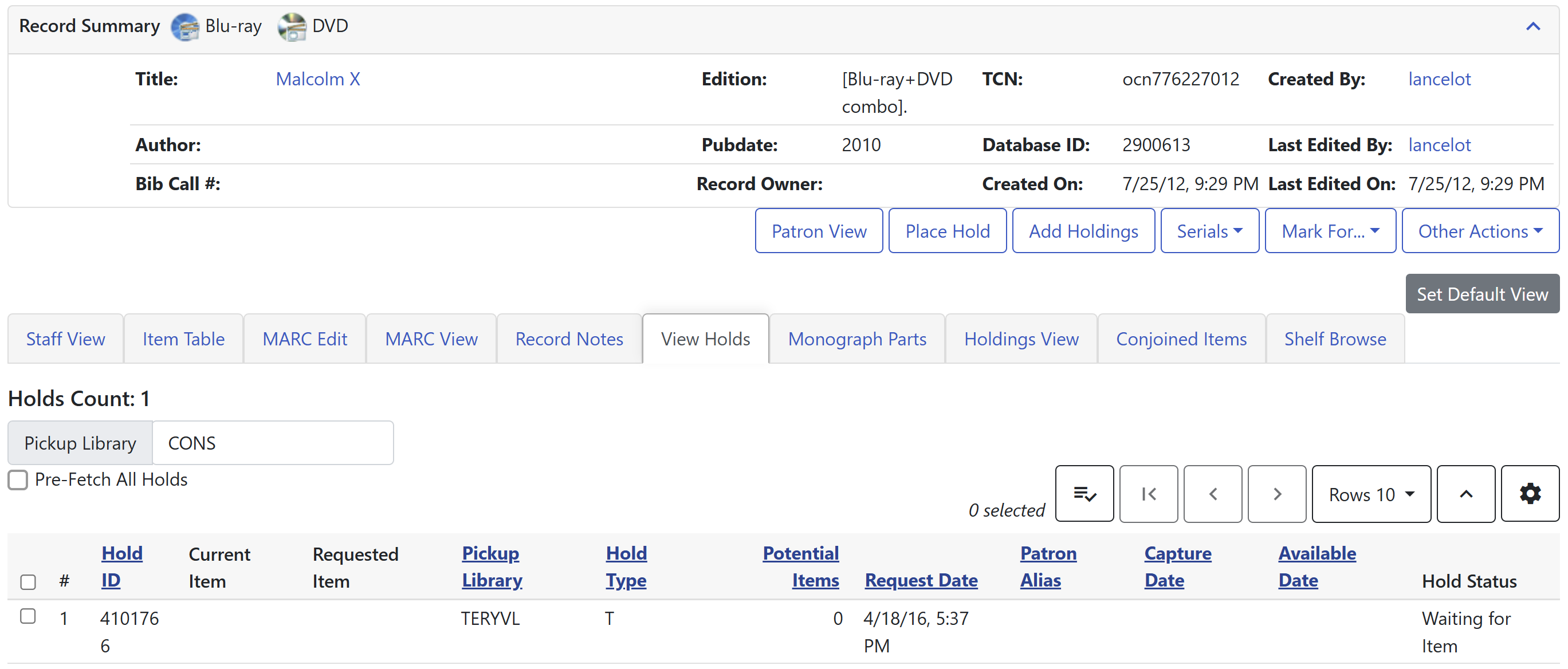
Click the View Holds tab.
-
Use the column picker to add the column Potential Items.
-
Check that no copies are available to fill the hold.
Transferring Holds to a Better Record
Transferring a hold (rather than canceling and recreating it) allows the patron to maintain their position in the hold queue based on the original placement date.
Step 1: Find an Alternative Bibliographic Record
-
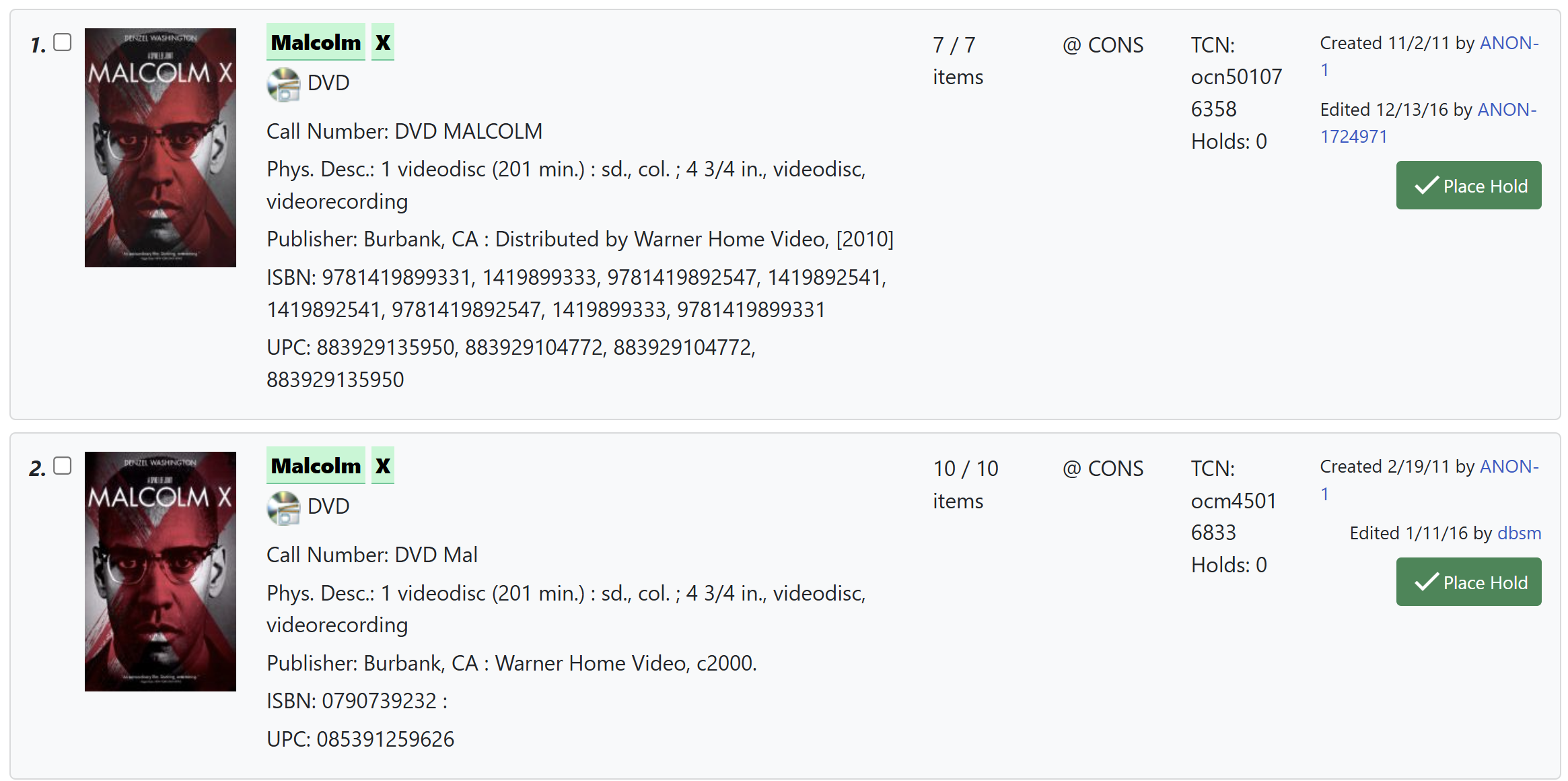
Open the catalog and search for the title of the hopeless hold.
-
Look for an alternative bibliographic record with available copies.
-
Make sure the alternative record is appropriate (e.g., don’t transfer a DVD hold to a print book record).
Step 2: Mark the Target Record
-
Open the alternative record you’ve identified.
-
Go to the Mark For menu or right-click to open the context menu.
-
IMPORTANT: First click Reset Record Marks to clear any previous selections.
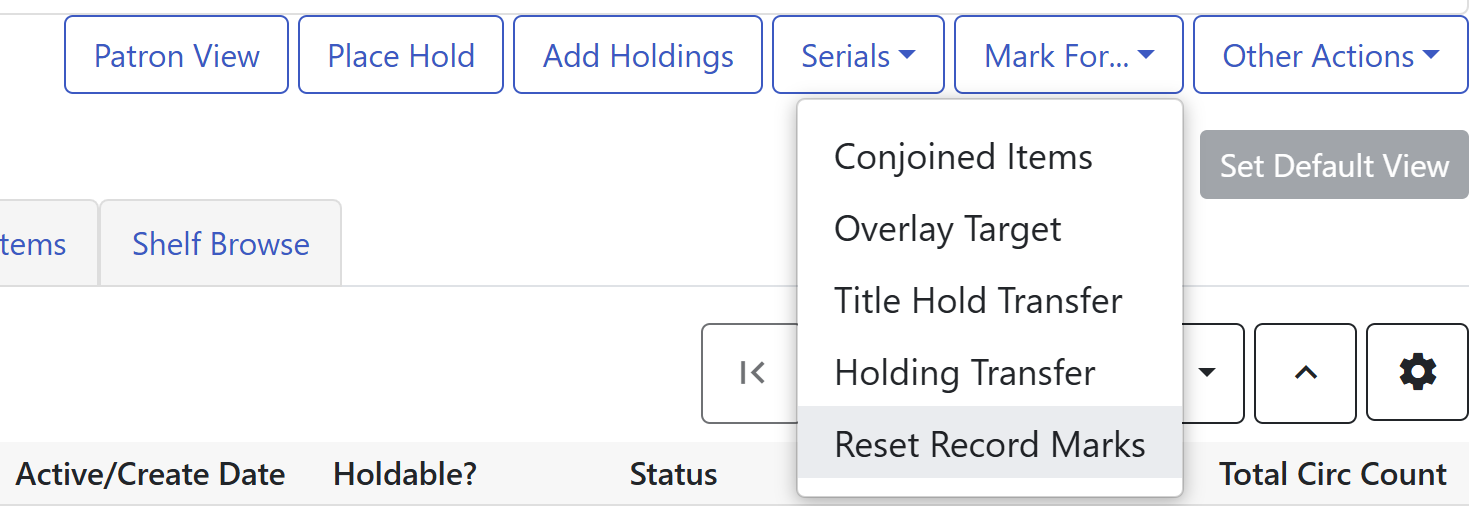 Figure 5. Context Menu with Record Mark Options
 -
Next, click Title Hold Transfer from the same context menu.
-
A confirmation will appear in the lower right corner of the screen indicating the transfer target has been set.

Step 3: Transfer the Hold
-
Return to the Hopeless Holds list tab.
-
Select the hold you want to transfer.
-
Go to the Actions menu or right-click to view the menu options.
-
Select Transfer to Marked Title.
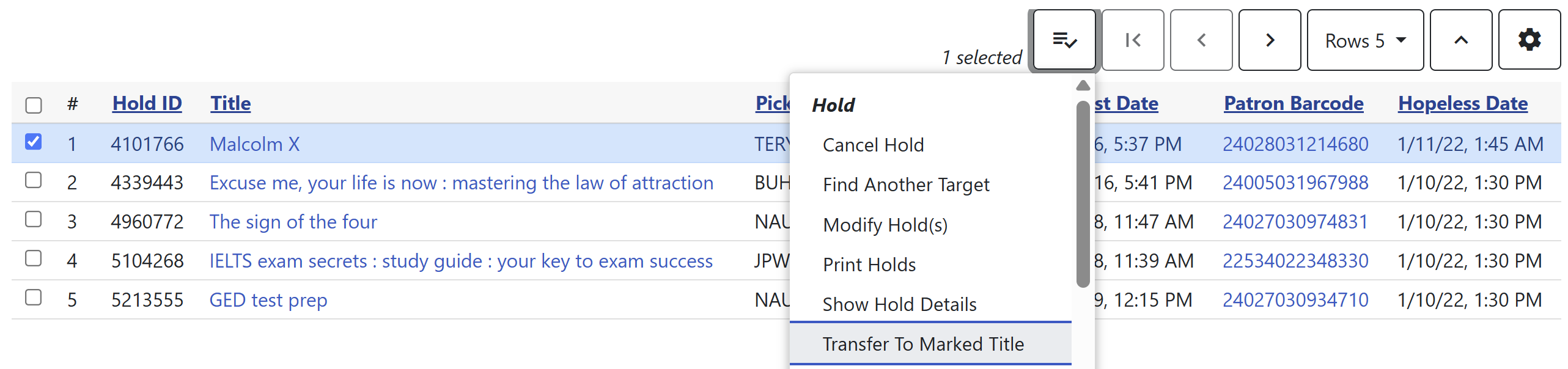 Figure 7. Transfer to Marked Title Option
 -
A confirmation dialog will appear.
-
Click Transfer to complete the process.
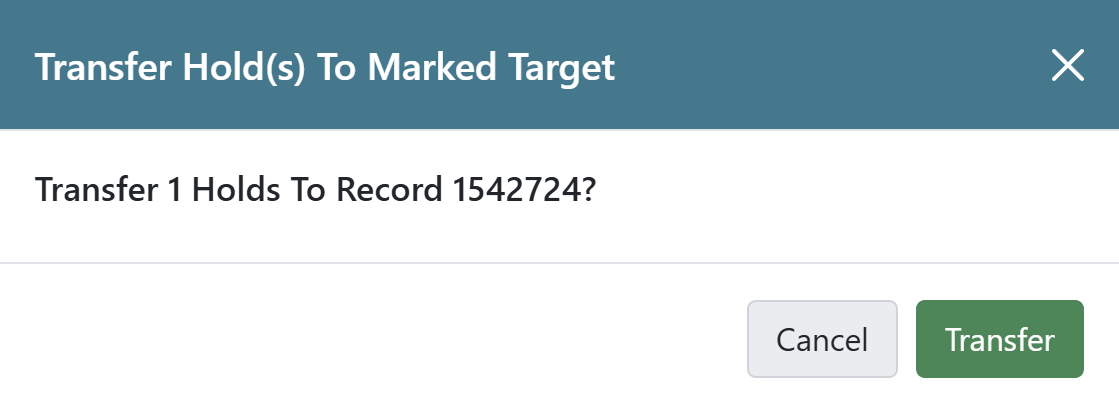 Figure 8. Transfer Confirmation Dialog
 -
A notification will appear confirming the hold has been transferred.
Completing the Process
After transferring holds:
-
Open any catalog record.
-
Select Reset Record Marks to clear the transfer target.
| Always reset record marks when finished transferring holds. This helps prevent accidentally transferring future holds to the wrong record. |
Best Practices for Managing Hopeless Holds
-
Check the Hopeless Holds list regularly (weekly or monthly depending on your library’s volume)
-
Use the list for collection development purposes to identify titles that may need replacement
-
Consider transferring holds only to very similar records to ensure patrons receive what they were expecting
-
For holds that can’t be transferred appropriately, contact the patron to discuss alternatives