Requesting a New Shelving Location or Rule Changes
Overview
This document explains the process for requesting new shelving locations or changes to circulation rules in the Evergreen ILS. Bibliomation staff will handle these requests according to established standards and guidelines.
|
Bibliomation’s ILS Steering Committee has established standards for shelving locations to ensure consistency across libraries. For example, locations follow patterns like "Adult New Fiction" rather than "New Adult Fiction" to ensure that all adult shelving locations group together in lists, filters, reports, etc. |
Access Methods
You have two options for accessing the request forms. Choose the method that works best for your workflow.
Method 1: Direct Form Access
Access the forms directly through these links - no Evergreen login is required:
-
Collection Location Request: www.biblio.org/request-for-new-collection-location/
-
Rule Change Request: www.biblio.org/request-for-rule-change/
|
Bookmark these links for quick access if you frequently submit these requests. |
Method 2: Through the Evergreen Staff Portal
If you’re already working in Evergreen, you can access the forms through the Staff Portal:
-
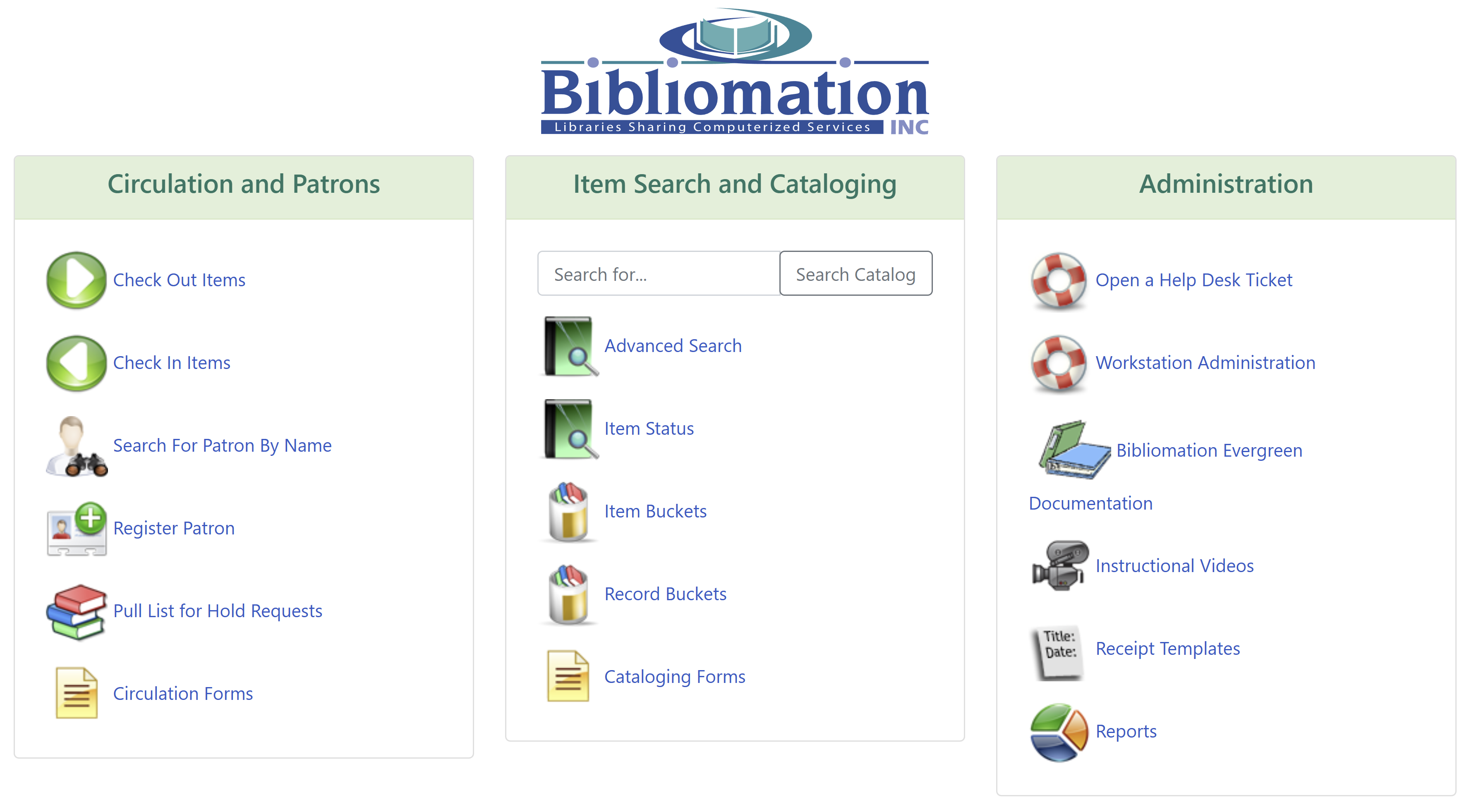
Log in to the Evergreen Staff Portal at acorn.biblio.org/eg/staff
-
Locate the Circulation and Patrons section (leftmost column of the three main card-like components)
-
Find the Circulation Forms option within this column
-
Select the appropriate form from the menu
Form Submission Guidelines
Both request types follow similar submission processes. After submitting either form, you can expect a response from the Help Desk staff within 24 hours.
Requesting a New Shelving Location
When requesting a new shelving location, be aware that Bibliomation staff may suggest using an existing similar location if it would serve your purposes.
-
Select the Request for a New Collection Location form
-
Fill in the fields with your requirements
-
Click Submit
Requesting a Rule Change
Circulation rules determine how materials can be borrowed, including loan periods, fine rates, and patron access restrictions.
-
Select the Request a New Rule or Rule Change form
-
For rule changes:
-
Be specific about how the rule should be changed for your materials
-
If certain aspects (like fine rate) will not change, mark "N/A" in those fields
-
-
For new rules:
-
Clearly specify any restrictions (e.g., a new rule for DVD loan period might not allow children to check out the item or place a hold on it)
-
-
Click Submit
|
Provide as much detail as possible when requesting rule changes to ensure your requirements are properly implemented. |