SMS/Text Messaging with Shoutbomb
Overview
Bibliomation uses Shoutbomb as the third-party service to send text messages to patrons.
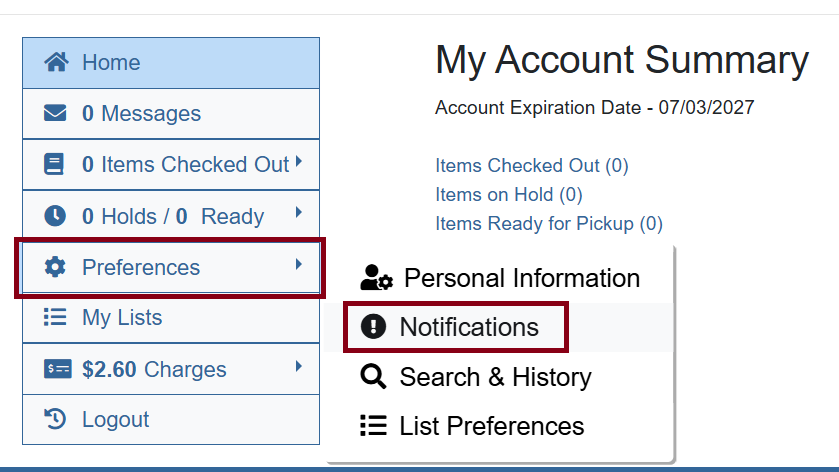
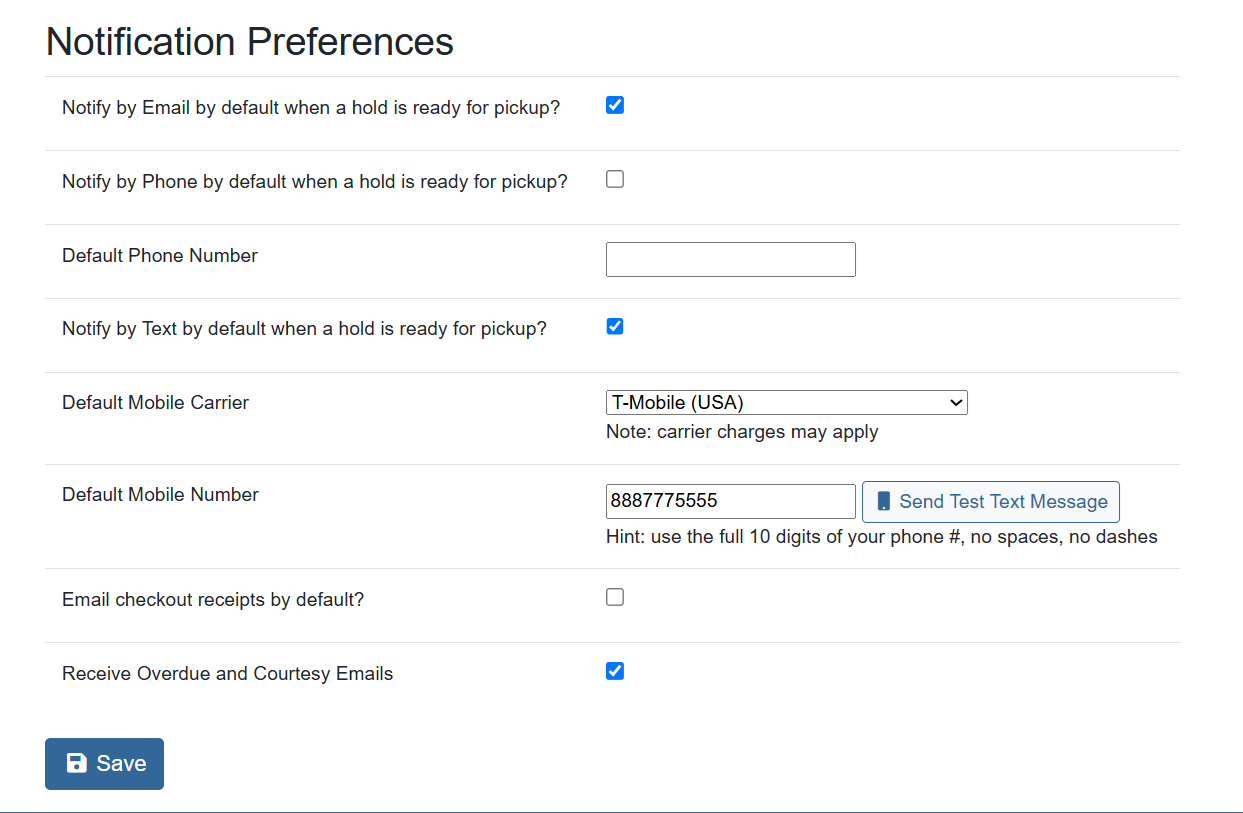
Patrons who opt in to SMS are enrolled the following day after registration, when their notification settings are adjusted by staff in Evergreen, or when they adjust notice preferences in the OPAC.
When enrolled, the patron receives a welcome text from Shoutbomb. SMS notices include:
-
Courtesy pre-overdues for items due soon
-
Hold ready for pickup
Keywords and Commands
| Keyword | Reply |
|---|---|
MYBOOKS |
Receive the status of your current checkouts. |
HOLDS |
Suspend or activate receiving hold ready for pickup text messages. |
RENEW |
Suspend or activate receiving texts for courtesy pre-overdues. |
IOWEU |
Get your total fines owed. |
STOP |
Immediately opts this phone number out of all Shoutbomb texts (legal opt-out). This overrides Evergreen notice preferences until the patron sends |
UNSTOP |
Re-enables Shoutbomb messaging for a number that previously sent |
HELP |
Get a complete list of keywords you can use to interact with Shoutbomb. |
|
|
Manage SMS Settings
Troubleshooting Non-Receipt
If a patron reports they are not receiving Shoutbomb text messages, try the steps below.
Re-enable messaging with Shoutbomb
-
Ask the patron to text
UNSTOPto 844-506-7100. -
Then ask them to text
MYBOOKSto 844-506-7100. -
If they receive their current circulations in reply, they’re all set.
Validate the phone number
-
Confirm the patron’s current mobile number.
-
Format the number as 10 digits only (no country code, no punctuation/spaces).
-
Update the number in Evergreen.
-
Use the "Send test text" feature in the patron edit screen to send a test message. See Send a test text from the staff client.
-
If the test succeeds, the patron is all set.
|
Ask the patron to add 844-506-7100 to their contacts as something meaningful and recognizable like the library name so future messages are easier to recognize. |