Messages
Occasionally, the library may leave you a message in your account. If you see a red number next to Messages in the top right corner of the screen, you have unread messages. Click on Messages to view them.
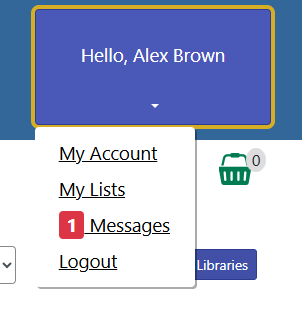
Figure 1. Unread message in account button
If you’re already in My Account, you can select Messages in the navigation menu.
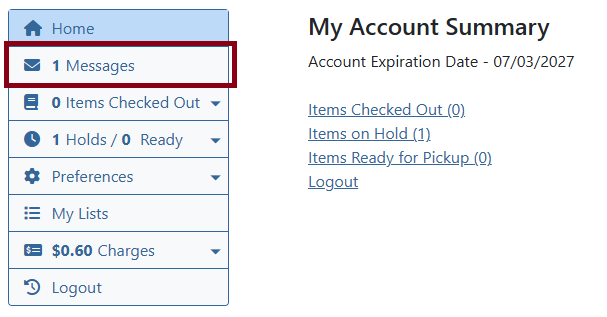
Figure 2. Messages navigation menu
This will bring you to a messages inbox. Click on the Read button next to the subject to view it. You can mark messages unread, read, and delete them. Once a message is deleted, it will no longer restore to your inbox.
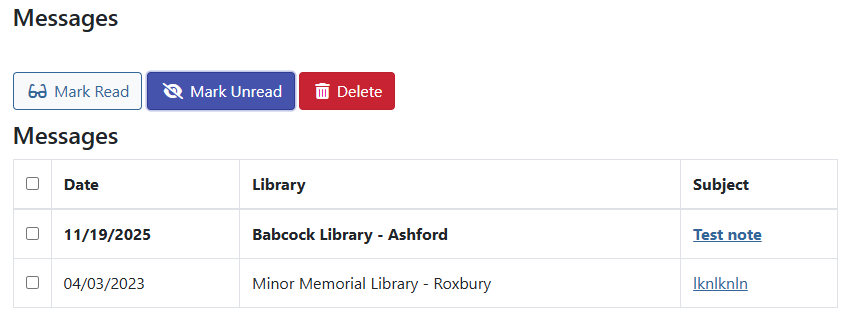
Figure 3. Messages inbox